Account deletion is permanent
Once you delete your Creepy Shorts account, all your data — including your watch history, offline downloads, and active subscriptions — will be permanently erased and cannot be recovered. Please be absolutely sure before proceeding.
📋 What you will lose
All content access lost
You will immediately lose access to all movies, shows, and content in the library.
Downloads deleted
All offline downloads and saved episodes will be permanently removed from your device.
Subscriptions non-refundable
Active subscriptions are non-refundable. You will not receive a refund for unused subscription time.
Data cannot be recovered
Your watch history, preferences, and account data cannot be recovered once deleted.
📱 Step-by-Step Guide
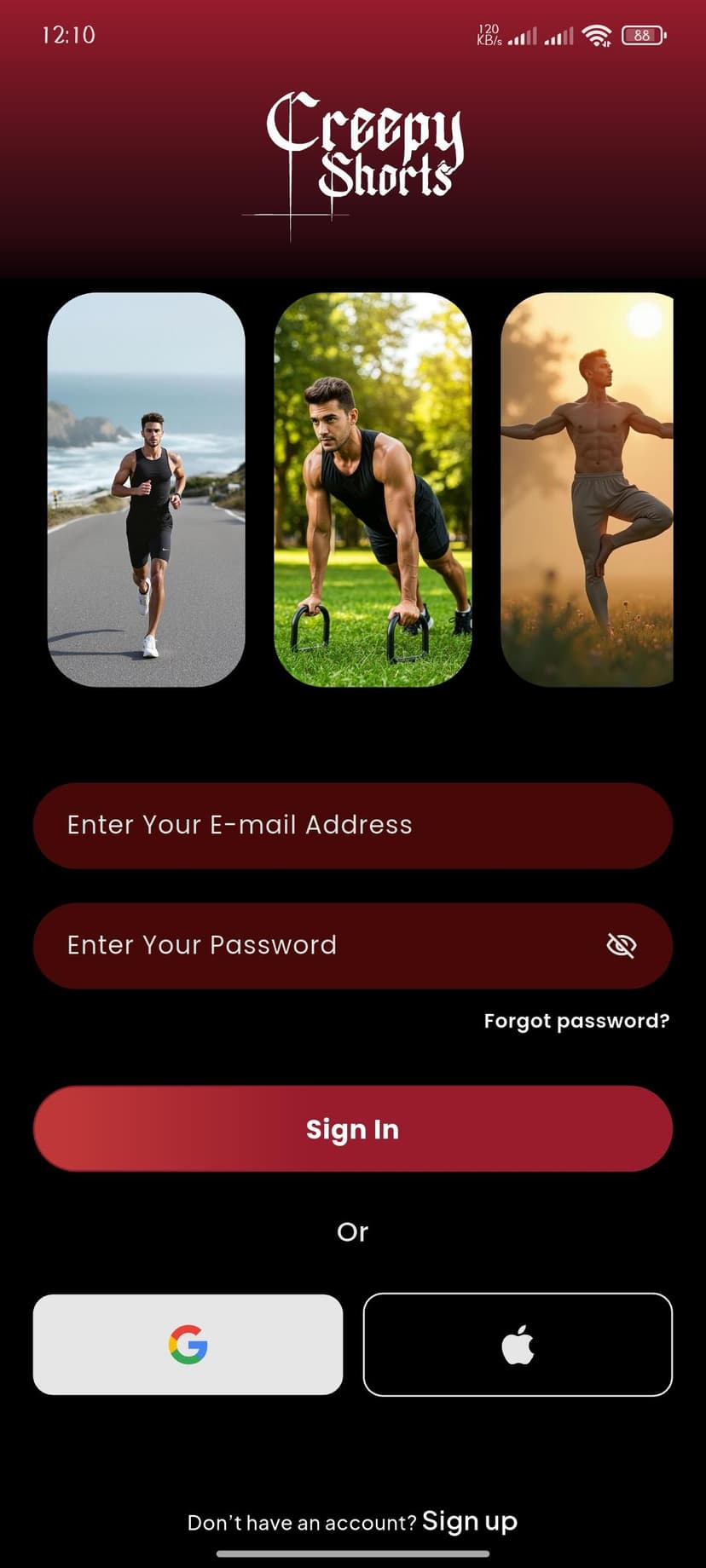
Open the App & Sign In
Launch the Creepy Shorts app on your device. Enter your registered email address and password, then tap Sign In to access your account.
Make sure you remember your password — you'll need it in the final step to confirm deletion.
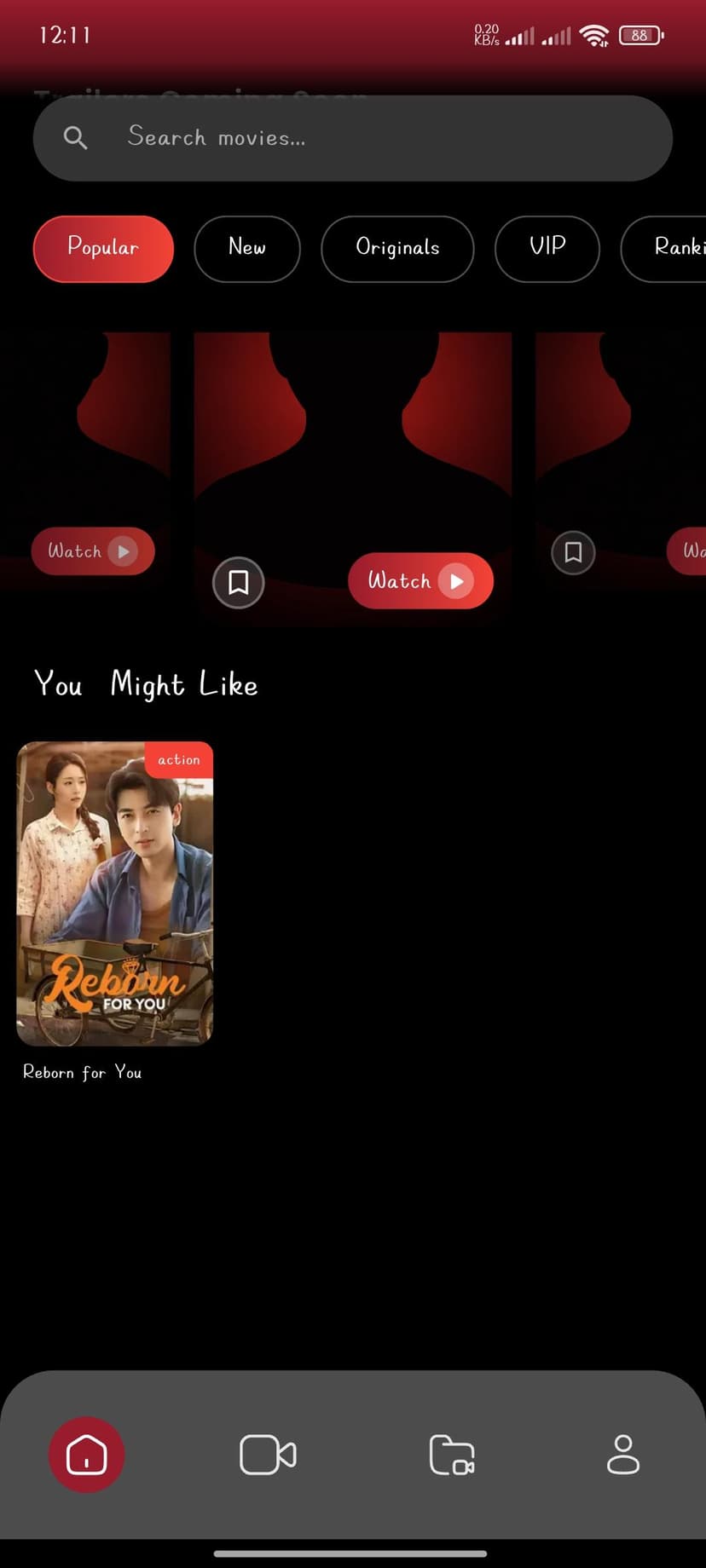
You're on the Home Screen
Once signed in, you'll land on the Home screen showing your personalized content feed. Look at the bottom navigation bar.
Tap the Profile icon (person icon) at the bottom-right corner of the screen to go to your profile.
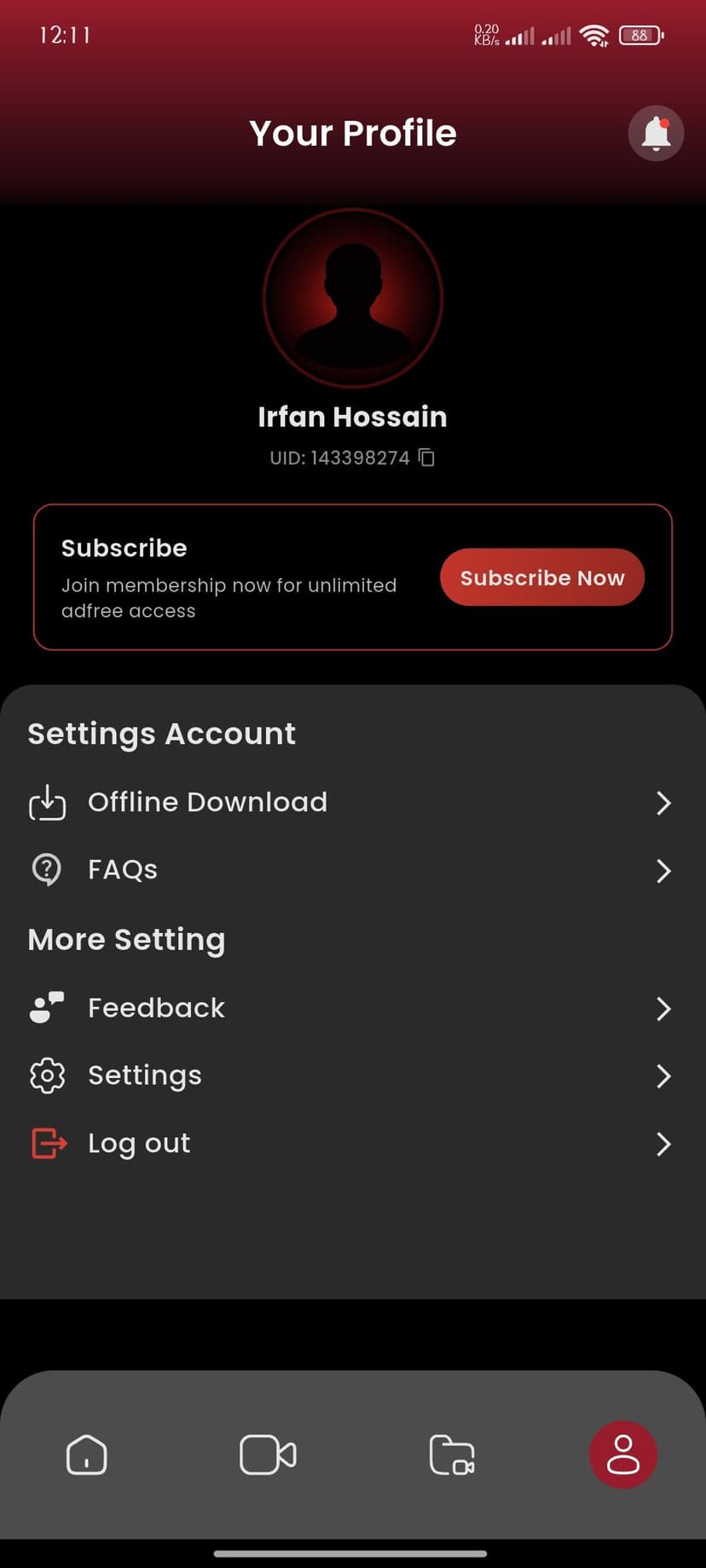
Go to Your Profile
Your Profile page shows your name, UID, and account options. Scroll down to find the Settings Account section.
Tap Settings from the list under the "More Setting" section to access account management options.
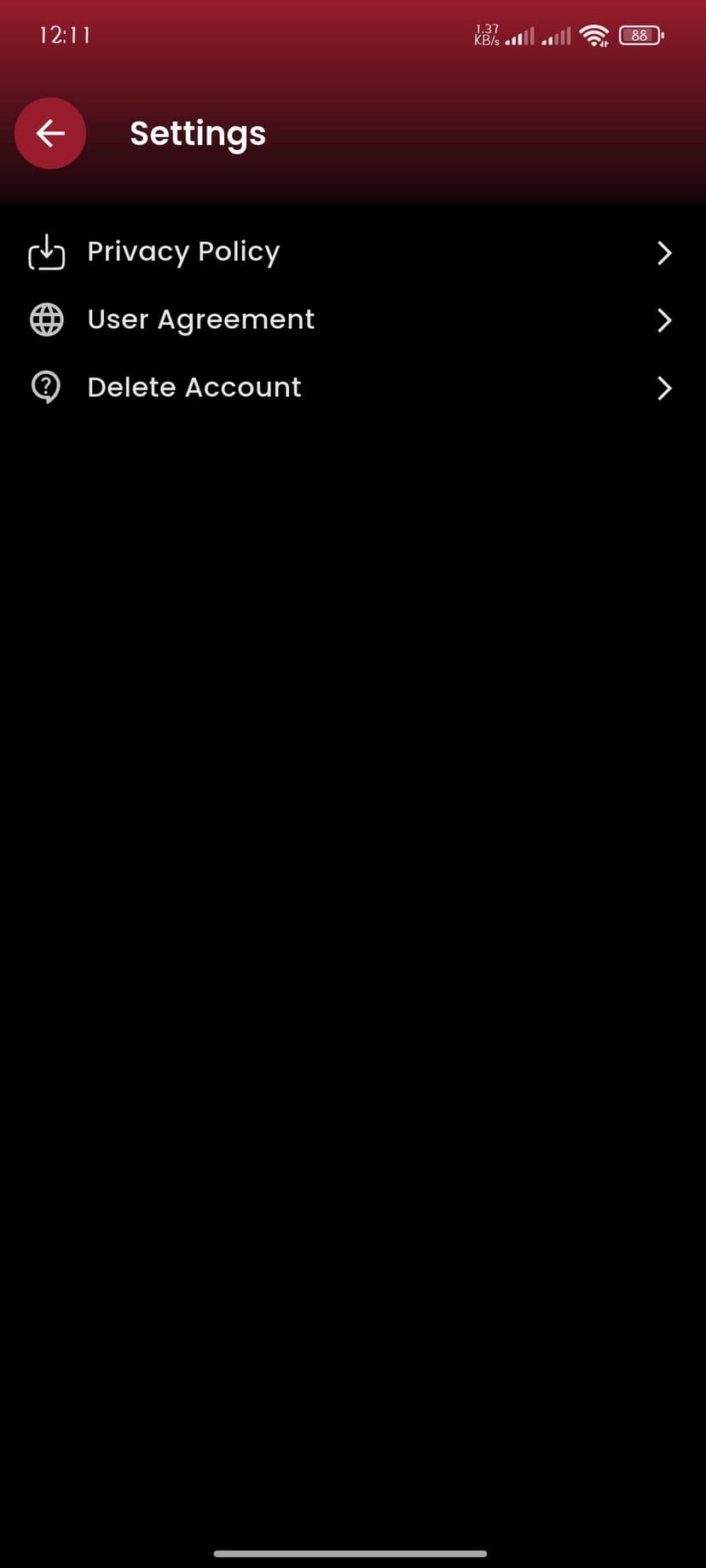
Open Settings
The Settings screen shows three important options: Privacy Policy, User Agreement, and Delete Account.
Tap Delete Account to proceed. This will take you to the account deletion warning screen.
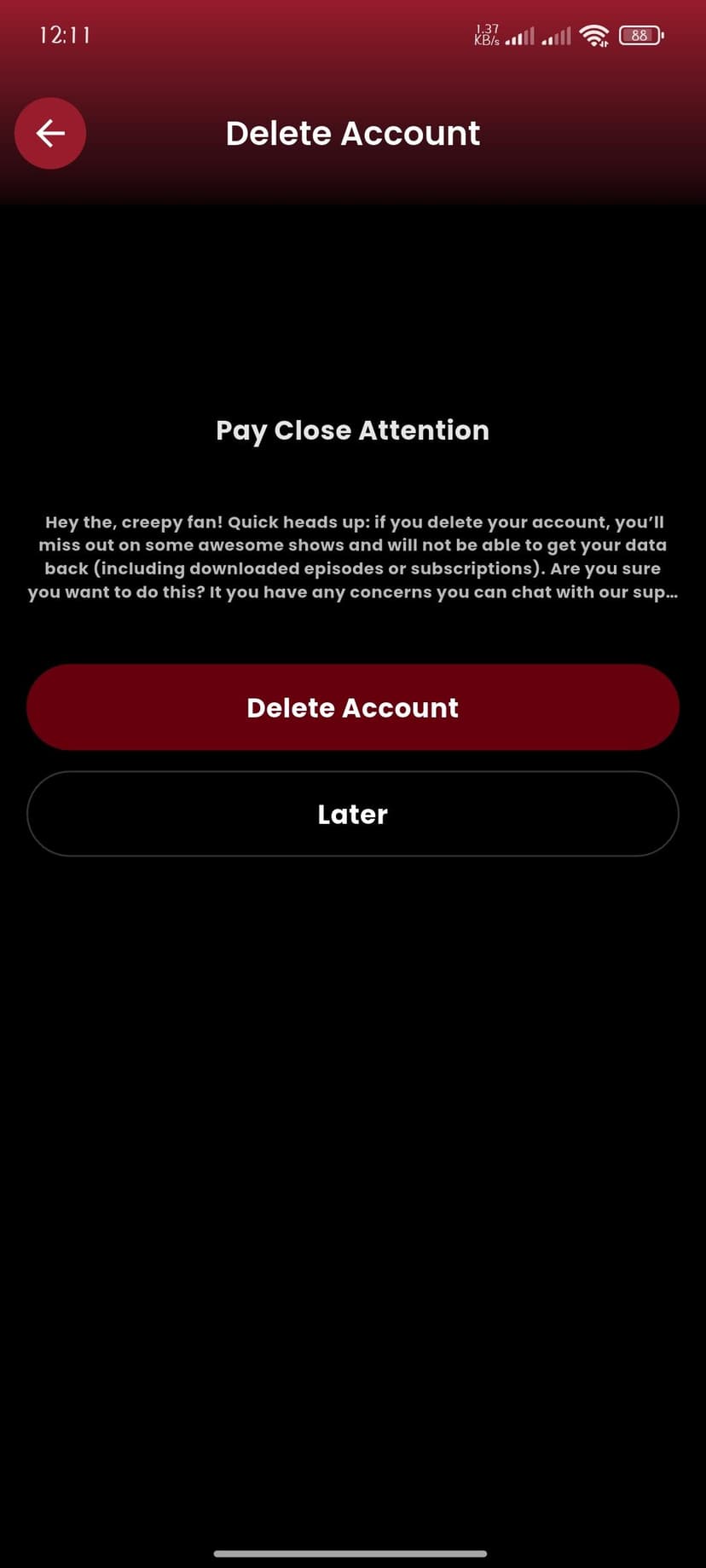
Read the Warning Carefully
A warning screen will appear: "Pay Close Attention — if you delete your account, you'll miss out on some awesome shows and will not be able to get your data back (including downloaded episodes or subscriptions)."
If you're sure you want to proceed, tap the red Delete Account button. Otherwise, tap Later to go back.
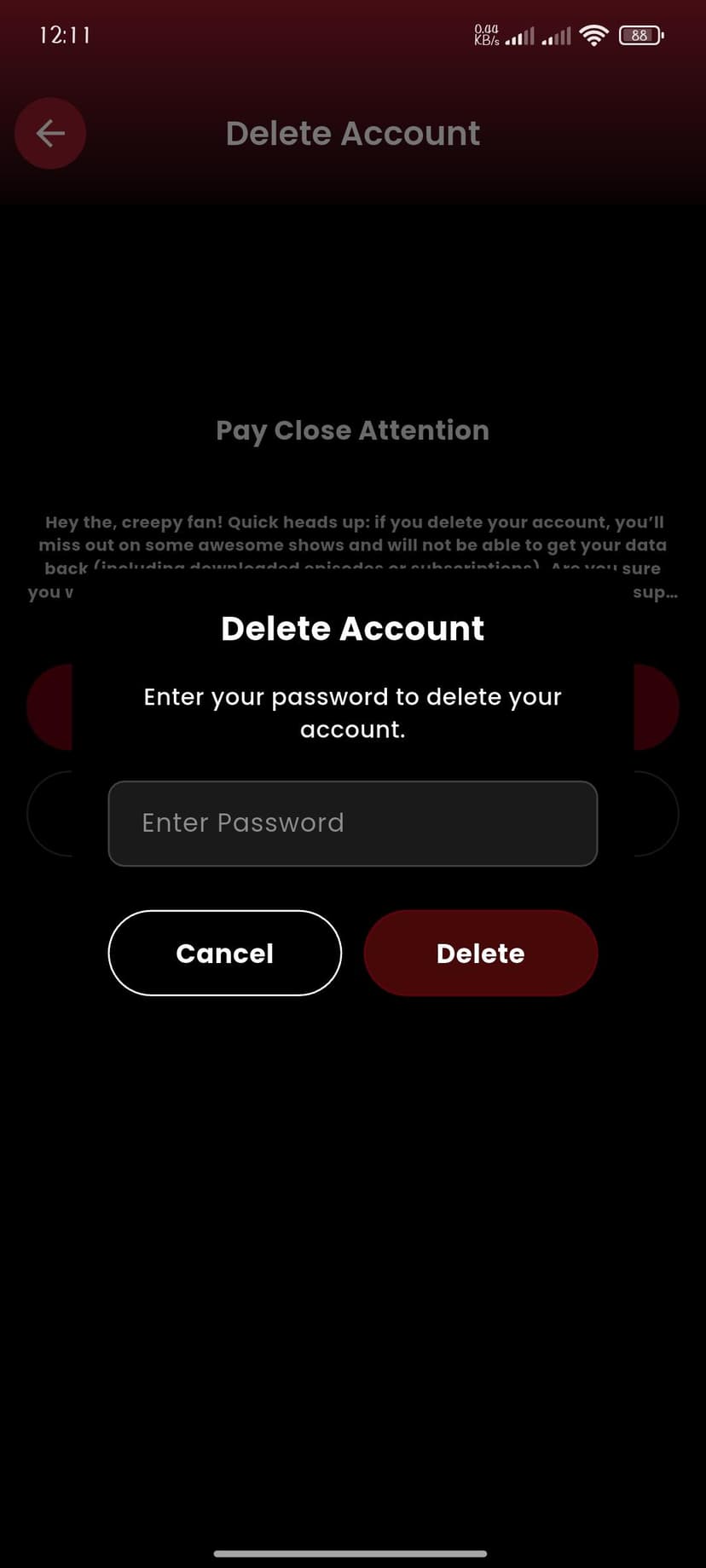
Confirm with Your Password
A confirmation dialog will pop up asking you to enter your password. This is a security measure to ensure only you can delete your account.
Enter your password and tap the red Delete button to permanently delete your account. This action cannot be undone.